How do I configure my garage door opener?
KNXHow to Configure Your KNX Garage Door Opener
Setting up your KNX garage door opener is simple when you know the right steps. Follow this guide to ensure seamless operation and real-time status updates for your garage door.
- Assign Two Key Group Addresses:
- Open/Close Command: Set a group address for controlling the door, using DataPointType 1.008.
- Up/Down Status: Set a group address to monitor the current position, using DataPointType 5.001.
- Optional Feature:
- Add a Listen address for Obstruction Detection with DataPointType 1.002 for extra safety.
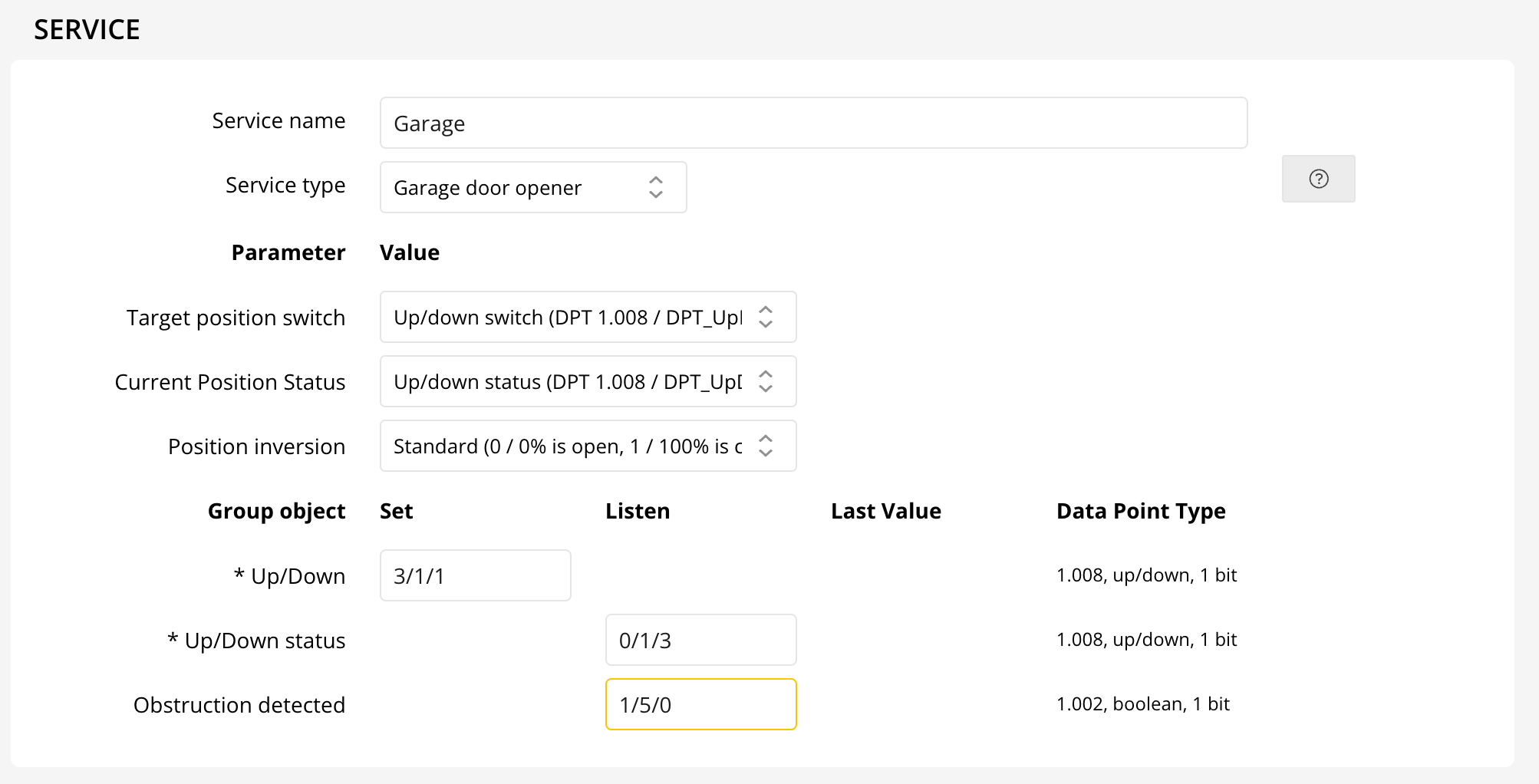
For the Current Position Status parameter, you have two configuration options:

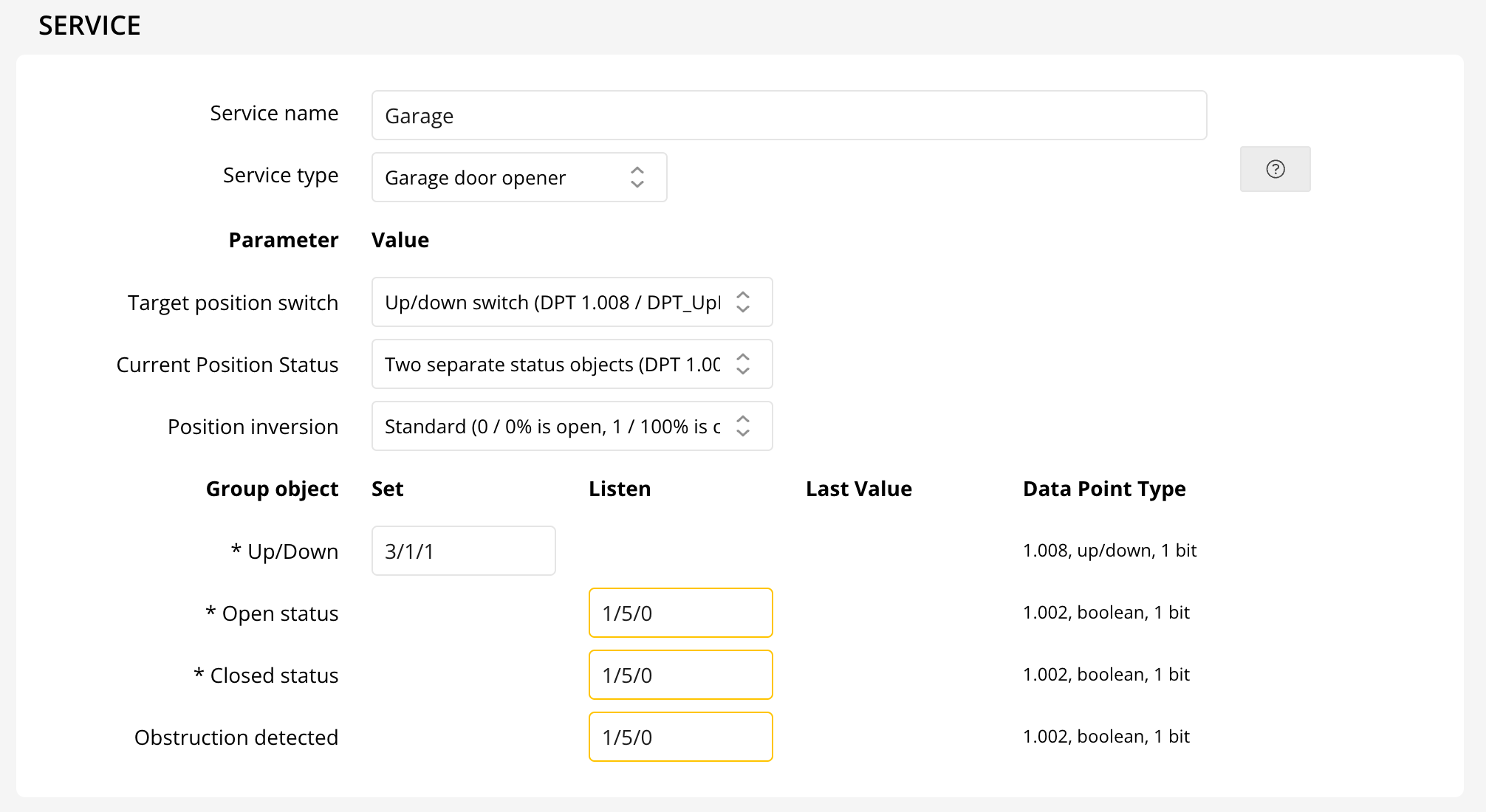
- Two Separate Status Objects (DPT 1.002): Configure group addresses for both Open and Closed statuses, along with Up/Down control.
- Up/Down (DPT 1.008): Enter group addresses for Up/Down commands and statuses.
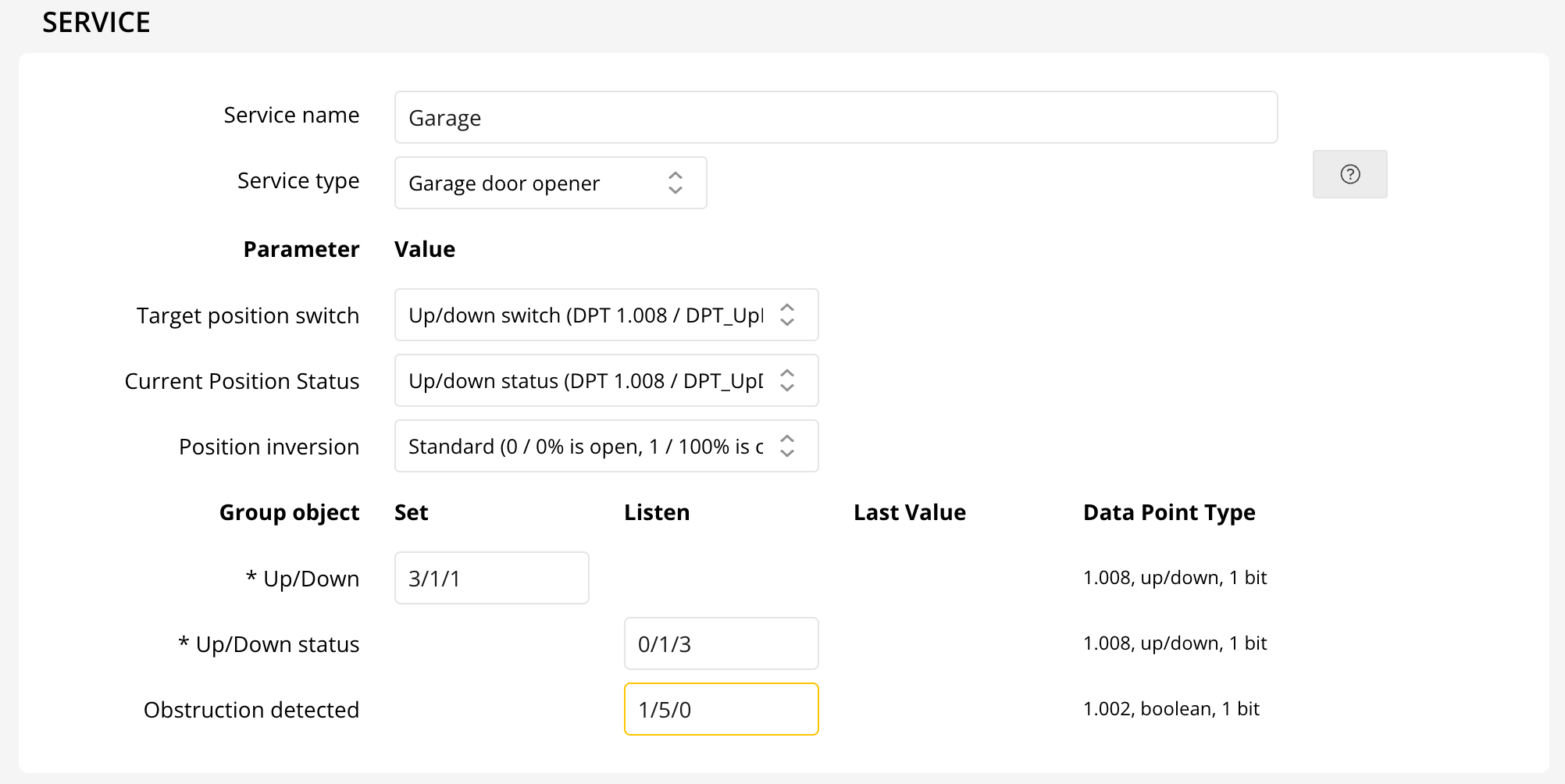
Finally, set the Position Inversion parameter to match your specific device’s behavior, ensuring accurate position feedback.

With these steps, your KNX garage door opener will be configured for reliable, smart home integration!